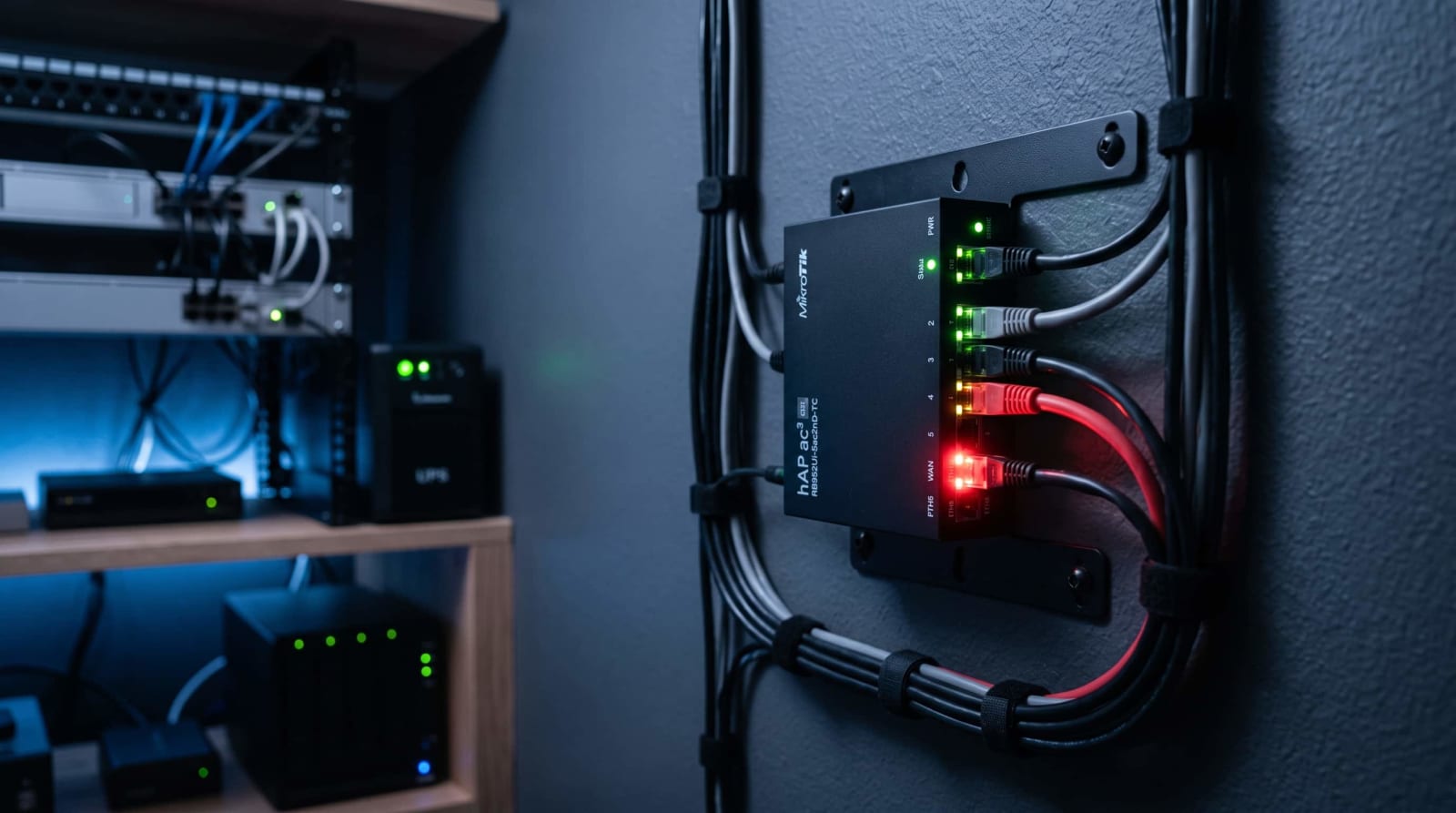
You have finally managed to dial in your home network MikroTik router is purring, Wi-Fi is stable, a Jellyfin server in the closet. Next the name of CISA appears next to the term critical, and the brand of your router is added to it. This is one of the few router alerts to take a coffee break over, should you be operating MikroTik equipment at home or in a small office. And this is what is happening and what to do about it today.
Quick Answer: CISA released a critical warning of a vulnerability in the software that operates MikroTik routers a 9.8 out of 10 on the standard severity scale. It allows a hacker to gain complete control over an unpatched router with just one web request with no password. It impacts all the releases up to version 7.24. Immediately update, or remove the web admin panel of the router off the public internet until you can.
CISA Warns of a New MikroTik Vulnerability: What Is CVE-2026-84411?
On September 29, 2026, the Cybersecurity and Infrastructure Security Agency announced a critical vulnerability in MikroTik RouterOS with a severity of 9.8 on the standard severity scale. The issue was reported to CISA by an anonymous researcher ( Source: CISA, ICS Advisory ICSA-26-272-06).
Simply put, the bug is a memory-related bug in the web-based login screen that most owners of MikroTik use to control their router. Since it comes before the login, an unauthenticated attacker can make one carefully constructed request to either execute code at root-level or crash the device altogether - no username or password is required.
Interestingly, this was submitted under the industrial-control-system advisories under CISA, but that is no reason to be misled; the same software is used on the small home and small-office boxes that many home server owners already have sitting under a desk. Assuming that your router is safeguarding something else on your network, it would be a good time to go through our home network security checklist.
What a CISA Advisory Actually Means for Home Users
When you have never encountered a CISA bulletin, the sound of the name alone would make it look like it would only be of interest to power plants and hospitals. The fact is that, the agency issues alerts on anything it believes is a significant threat to widely-used technology, and much of that technology is found in home networks and small-scale businesses, not only factories.
This is due to these bulletins being categorized as an industrial control systems label in part due to the structure of the reporting pipeline of CISA, not because a majority of all affected devices are located behind a power plant. MikroTik routers are on the list because the identical RouterOS software is used in its entire product line, including tiny home-box-sized devices, as well as carrier-grade hardware, and the bug affects all of its devices.
To an average home user, the lessons learned in practice are straightforward: never disregard a bulletin on the grounds that the title is addressed to another person. The advisory applies to you, even though your router might be in a data center or on a shelf next to your modem, assuming that you have the hardware that the advisory describes.
Which MikroTik Routers Are Affected
Any RouterOS release before version 7.24 is considered to be affected. It is not specific to a single router model: it is the operating system that MikroTik sells throughout its range of products, including home boxes the size of a penny and carrier-grade equipment.
Home and small-office models
Now, assuming you have a typical home or small-office MikroTik box, the type of box typically bought because of its cost and versatility, almost every such box runs RouterOS, so it will apply to you just as much as it will apply to an enterprise network administrator.
Business, ISP, and hosting equipment
Bigger institutions depend on MikroTik hardware as well, frequently to route, VPN endpoints, or a wireless backhaul connection. Even if you operate network equipment in a small business, a residential apartment complex, or a side gig, you shouldn't assume that this is exclusively a home-user issue, the same software is being used under a multitude of commercial setups, and those machines are as easily accessible over the internet as a home router, and sometimes even more so.
Though you may not actually operate a MikroTik router yourself, such as when your internet service is provided by hardware installed by your ISP or landlord, it's a good question to ask whether it is being maintained. Any device that no one is ready to update is precisely the type that will have the longest time of remaining on the table.
If you're not sure what version you're running

Open WinBox or the web dashboard and check the version number in the top corner, or run /system resource print from a terminal session. Unless you checked the firmware of your router in the past, a good way to start is our networking basics hub.
The following is the chronology of the recent release:
| RouterOS Build | Status | Release Date |
|---|---|---|
| Anything before 7.24 | Vulnerable | — |
| 7.24 (stable) | Fixed | Aug 17, 2026 |
| 7.24.3 (stable) | Fixed | Sept 15, 2026 |
| 7.24.4 (stable) | Latest fixed build | Sept 16, 2026 |
The following are examples of vulnerabilities found in RouterOS:<|human|>The following are samples of vulnerabilities in RouterOS:
None of these version numbers has any meaning to you, yet? No problem, RouterOS has a relatively simple versioning system once you have seen it: the number preceding the dot is the major release, and all the rest is specifying the exact build. Less than 7.24 in that first slot, or 7.24-or-better issued before mid-September, would put you in the clear.
Is My MikroTik Router Hacked? How to Check
Most strange router behavior is not the worst thing in the world. Before you jump to conclusions, it is generally due to a loose cable, a hiccup in your ISP, a routine reboot that you left on. This is not intended to paranoidally leave you suspecting every blip, but it is to provide you with a list of a particular set of things to look into instead of shrugging over them.
When CISA was published, the agency reported no claims of public exploitation of this flaw, in particular. That is reassuring, but it is no excuse to neglect checking your own device, as that status can be changed quickly.
Look out because of the following warning signs:
- You're suddenly locked out of your usual login
- An administrator account that you do not recall creating.
- Scheduled scripts or tasks not configured by you.
- Self-changed firewall rules or DNS settings.

The router re-booting or going offline without any apparent reason.
The latter is of particular interest here, security researchers who have checked on this bug have noted crashes of web-services or router bootups as a pattern that is likely to be used by someone scanning on the presence of this very bug. Check System > Logs crash entries or unexpected restarts around end of September.
When something seems strange, assume the router is compromised: update it, reformat it to factory default and start all over again with your own settings instead of relying on a device that might be having a backdoor into it. And when that router is in front of something valuable, this is a good reason to ensure that your backup plan does not rely on that same network being reliable.
In case you do verify a compromise and the router is in front of a business network, it would be a good idea to report the incident to your IT provider or a security professional, even after you have reset the gadget, a compromised router can serve as a foothold attackers used to access other items on your network before you noticed.
Another thing that is worth doing whether you have anything suspicious or not, is to write down the current configuration of your router somewhere out of it. A fast export file to your computer is free and it will save a lot of stress should you ever have to wipe and recreate.
How to Update MikroTik RouterOS to Version 7.24
The solution is simple: all the affected devices could be upgraded to version 7.24 or above, packages should be downloaded only on the official site of MikroTik and checksums should be verified.
Updating through WinBox or the web interface
- Open WinBox or web dashboard (WebFig) of your router.
- Click on System > Packages.
- Click Check for Updates.
- Select your channel - Stable is the appropriate choice in most home systems.
- Click Download and Install, the router will automatically restart.

Updating from the command line
Assuming you are using SSH to control your router, then the same job is two commands:
system package update check-updates
apt update install
Updating from the MikroTik mobile app
When your router is combined with the MikroTik companion app, you can typically invoke the same check-and-install process on your phone without even cracking open a laptop - useful when you just need to know that you are up to date as you head out and about.
Always make a copy of your current configuration before you update it, a backup file is better than having an unfinished update leave you with a dead configuration that is its own nightmare. In case this router processes traffic of a business or a home with many people working at home, plan the update during a low-traffic period; the actual upgrade will only take a minute or two, but the re-boot will temporarily break all connections passing over the device.
Should an update hang or the router fail to restart smoothly afterwards, our troubleshooting tips hub has some general recovery advice on network equipment. Alternatively, you can access the install package directly on the MikroTik download page in case your build does not have automatic updates.
Can't Update Today? Temporary Ways to Lock Down Your Router
You can't patch the second bulletin drops to all the people, maybe it's production gear and you have to have a maintenance window. In the meantime, reduce your exposure should that be the case with you.
Take the admin panel off the public internet
In case your router has its web interface or WinBox port accessible on the open internet, disable it. Access to management must never be external to your own network or a management segment, but rather internal to your own network. Our privacy and security category has more on locking down a home network generally.
Tighten your admin credentials while you wait
In case you are unable to update now, at least change the default user name (not only the password), turn off any unnecessary services such as FTP or Telnet and ensure that the only accounts on the router are the ones you know. This is not a replacement of updating but helps to reduce the attack surface in the meantime.
Use a real remote-access VPN instead of port-forwarding
Do not hire an axe into the firewall to be able to control your router when you are out of the house. Instead put a decent remote-access VPN in front of it - our Tailscale vs. NetBird vs. Twingate guide has a walkthrough of which one best fits a home setup.
A VPN configuration may seem too big a project to get through this week, so a firewall rule permitting only management traffic to your home and a static IP, or a list of trusted addresses, is a fair workaround, but that is not to be left a permanent solution.

Keep an eye on your logs while you wait
Having the admin panel locked and a VPN installed, inspect the logs of your router periodically instead of making the mitigation a set-and-forget measure. A brief look, weekly, at attempts to log in and system-related events takes just a few minutes and will provide you with an early warning about a potential slip-up before you can update.
Why MikroTik Routers Keep Showing Up in Botnet Headlines
It is not the first or probably the last time that MikroTik equipment has appeared in the news related to security. Rogue MikroTik routers have been earlier strapped into the Meris botnet, where they were used to execute some of the biggest DDoS attacks ever known, with the help of an older unpatched version of the firmware.
One of the reasons why MikroTik continues to make the news is the mere size of it, internet-scanning services have listed about three million internet-reachable MikroTik devices, with high concentrations in China, Brazil, and Indonesia, the United States and a number of other nations. Such a footprint implies that a tiny percentage of unpatched devices is a significant attack surface to anyone operating a botnet.
More recently, and independently of the flaw discussed in this article, attackers actively exploited another pair of bugs in the SSH service of MikroTik during early September 2026, to hijack routers that had a distant access to the internet. There were over 122,000 devices that were found with that SSS interface available on the open internet at the time. A patch to that other problem was released prior to the release of even this bug, which gives you an idea of how often the equipment of this vendor is in the news.
Its similarity is not that MikroTik equipment is especially vulnerable, it is that millions of these devices are on the open internet with remote management enabled, and that they are not turned off, as they were at one point by someone to be convenient and have never been switched off. At the time of writing, this specific vulnerability has not been listed on the Known Exploited Vulnerabilities catalog, the currently running list of bugs that the government has confirmed under active attack, but, again, due to the above trend, it has been cheaper to act upon as urgent.
The useful routine to develop out of all this is not router-specific but rather routinely monitoring whether there are any updates to the firmware or not, rather than relying on a CISA bulletin to make you aware of them. Create a monthly or bi-monthly reminder on your phone or computer to check the update screen of your router and the next important piece of advice will turn into a five-minute task rather than a crisis.
References
- Cybersecurity and Infrastructure Security Agency (CISA) – ICS Advisory ICSA-26-272-06: MikroTik RouterOS: Official federal advisory detailing the security flaws and mitigation strategies, published September 29, 2026.
- SecurityArsenal – CVE-2026-84411: MikroTik RouterOS Pre-Auth Integer Underflow: Technical documentation, detection methods, and remediation guide for the specific integer underflow vulnerability.
- WindowsForum – MikroTik RouterOS 7.24.x Stable Release Timeline: Security reporting and community discussions regarding the patch timeline and firmware updates for RouterOS.
- BleepingComputer – Hackers Exploit New MikroTik RouterOS Flaws to Hijack Routers: Cybersecurity news coverage reporting on the active exploitation of these vulnerabilities in September 2026.
- CSO Online – Meris Botnet and Historical MikroTik Router Abuse: In-depth reporting and historical context on how MikroTik routers have previously been compromised and utilized in large-scale botnet attacks like Meris.
Conclusion
A bug in MikroTik router software that has a severity of 9.8 and requires no login to exploit is as serious as you can get in terms of home-network alerts, but the fix is easy: upgrade to RouterOS 7.24 or later, and in the meantime do not leave the router software facing the open internet. Today and you have it. You can find a more convenient long-term configuration that allows you to remotely administer your router without exposing it directly with our Tailscale vs. NetBird vs. Twingate guide next.