

It is Sunday night, the entire family is lined up to watch a movie and your Plex server, the small box in the hall closet that you installed two summers ago is happily chugging along. What you are not aware of is that over the weekend, attackers started to probe exposed servers. There is now a public working attack recipe, and this manual demonstrates how the door is locked within ten minutes.
Quick Answer: An attack recipe has been published that allows strangers to take over Plex servers that are older than build 1.43.3.10861 without any password, and one researcher has successfully hijacked their test server in less than a day. Upgrade to that or later, and consider disabling port 32400 to the internet where possible, and inspect odd files or programs when using an old version.
What Is the Plex2Shell Exploit and Who Is at Risk?
A combination of four security vulnerabilities in the server software of the company Plex is known as Plex2Shell. Connected to each other they allow an internet user to execute commands on your computer without username or password. Security people refer to it as unauthenticated remote code execution. It refers to a total takeover in plain English.
On October 16, 2026, a researcher released a demonstration of concept (Source: security news reporting). The author gave the entire chain a very high 10 out of 10 on the CVSS severity scale (Source: public vulnerability write-up).
| CVE | What it does |
|---|---|
| CVE-2026-96652 | Tricks the server into sending web requests the attacker chooses |
| CVE-2026-96654 | Slips past an internal safety check to reach hidden server functions |
| CVE-2026-96655 | Uses the server’s own owner-level access to write a file anywhere on the drive |
| CVE-2026-96656 | Loads an unsigned codec file, which runs the attacker’s code |

This is the practical aspect. One of the researchers claimed that an internet-facing test server with Linux in Docker was compromised during the early hours of October 17. The attackers left a cryptocurrency miner and proxy software that have the ability to send traffic of strangers through a home connection (Source: security news reporting).
Remember this. That is a single test server, and it is being reported that no evidence of the number of real servers hit is shown. In addition, security feeds report the four vulnerabilities were not included on the CISA Known Exploited Vulnerabilities list at the time of the writing, so it should be checked regularly (Source: CISA).
The most vulnerable servers are the outdated servers which can be accessed via the internet. The attack chain works on both Linux and Windows.
Plex Media Server 1.43.3.10861: The Version You Need
The fixed build is 1.43.3.10861. Anything older than that is considered vulnerable. The September 1 notice by Plex informed those who own 1.43.2 and below to update and it warned that NAS owners may have to manually install the new package (Source: security news reporting).
Notice the timeline. The patch was made approximately six weeks prior to the release of the attack recipe. A patched server is a boring server, a boring server is a safe server.
To verify your version, log into Plex using your browser, navigate to the settings of your server and find the version number. If it’s lower than 1.43.3.10861, update today. Newer constructions are available thus target the latest one.
New to all this? Begin with what home server is in the first place, and proceed. And when you are patched, go through our homelab security checklist to seal other gaps.
How to Update Plex Media Server Manually

Not all people get automatic updates. A hand is required in NAS devices, Docker containers, and auto-update switched off servers. Be sure to save your library data before you start. Our ransomware-proof backup guide walks through it.
Windows and macOS
- Get the latest installer on the download page of Plex.
- Stop the running server either on your menu bar or system tray.
- Run the installer. It installs over your current copy.
- Reload Plex and verify the new version number.
Linux
Download the .deb file (Ubuntu and Debian) or the .rpm file (Fedora and CentOS) on the same webpage. Then install it:
sudo dpkg -i plexmediaserver_ <version>_amd64.deb.
sudo rpm -U plexmediaserver-<version>x86_64.rpm.
sudo systemctl re-start plexmediaserver.
On Debian-based systems refer to the first line, and Red Hat-based refer to the second. The installation guide of Plex provides more detailed information on each platform.
NAS devices
Your NAS app store can be a slowpoke. Download the package for your device from Plex, then look for a “Manual Install” option in your NAS’s app center. Use the instructions of the maker, and peruse our NAS and storage manuals in case you are in doubt.
Docker
Recreate the container: yank the latest image:
docker compose pull
docker compose up -d
When your setup attaches a particular version tag, update the tag. Next verify the version in your server settings.
How to Check if Plex Server Is Compromised
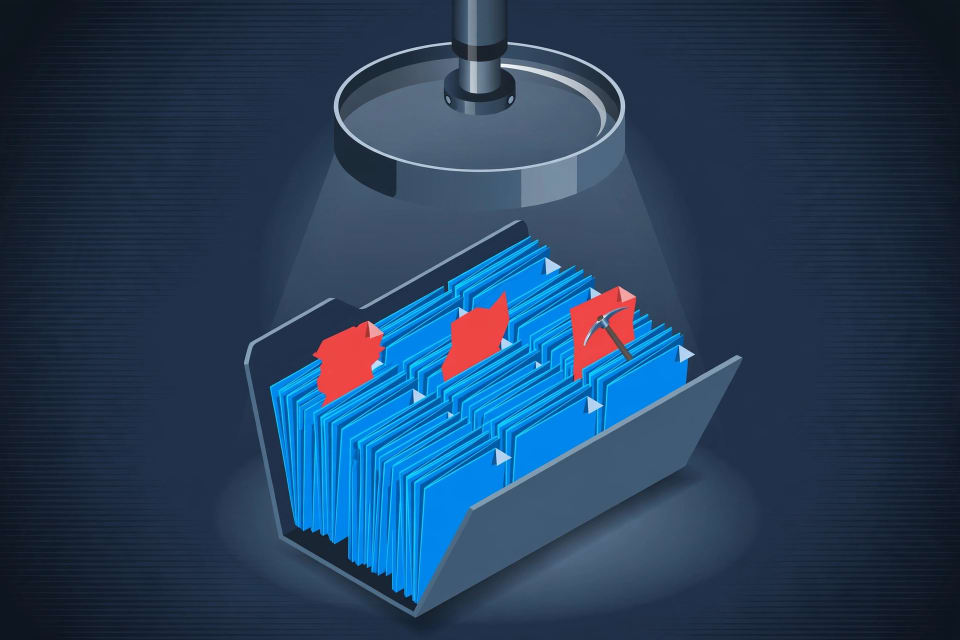
An update prevents future attacks, but does not remove a previous break-in. Assuming that your server was old and was accessible via the internet, then spend five minutes browsing. Not to find anything is not evidence that you are not dirty, but it is a good indication.
1. Unfamiliar programs started by Plex. These names and flags are mentioned in reports: myawesomeproxy, mylovelyminer, x12345, --rig-id and --donate-level (Source: security researcher report). On Linux, try:
ps aux | grep -Ei "myawesomeproxy|mylovelyminer|xmrig|rig-id|donate-level"
In windows, open Task Manager, and then on the Details tab, add Command line column.
2. Dislodged files in the Codecs folder. The latter step of the attack takes advantage of the Plex loading of codec files. Check the data folder of the Plex in the Codecs folder:
Linux: /var/lib/plexmediaserver/Library/Application Support/Plex Media Server/Codecs
Windows: %localappdata% /Plex Media Server/Codecs.
macOS: /Library/Application Support/Plex Media Server/Codecs.
There, Plex stores its own codecs in subfolders. Suspect dubious .so (Linux) or .dll (Windows) files with recent dates that you cannot identify. One researcher observed that the planted file re-executes each time something transcodes and thus simply terminating the miner is not sufficient to resolve it.
3. When no one is watching CPU is high. Cryptocurrency miners are electricity gluttonous. An overheated processor at 3 a.m. and a loud fan is a warning.
4. Odd outbound connections. Monitor traffic of your router to suspicious sites. The proxystream[].st is one of the domains in the reports.
In case you find something:
- Turn off the server in your network. Killing the process is not enough.
- Rebuke with a fresh operating system or container image.
- Recover your media and a copy saved prior to October 16.
- Change Plex password, enable two-factor sign-in, and log out of all devices using your Plex account.
- Consider passwords stored on that computer as being exposed.
Should You Disable Plex Remote Access?

Yes, then you just watch at home. Remote streaming in Plex is typically achieved by opening port 32400 on your router, and in some cases, it will do this automatically, using UPnP (Source: Plex Support). This attack simply requires an old server with an open port.
To close it, here is the way:
- Plex In Plex, select Settings, Remote Access and press Disable Remote Access.
- Log into your router and remove any port forward on 32400.
- Disabling UPnP when not necessary in your network.
Your router is a front door as well. When using MikroTik equipment, also read our MikroTik router warning.
Have to stream out or home? There are two good ones to you. Keep remote streaming enabled and keep patched or simply use a private tunnel, which means that no ports are open at all. We will compare Tailscale vs NetBird vs Twingate and this will assist you in making a choice.
One warning: Remote access is minimized, and it is not an alternative to patching. Even a Wi-Fi-infected laptop can access your server.
Is Jellyfin Safer Than Plex?

Not automatically. Jellyfin is open source and free, and anyone can view its code. The server of Plex is a closed-source commercial software (Source: Jellyfin project). Open code assists people outside the code to identify bugs, yet it does not render the software bug-free, and Jellyfin has issued its own security advisories (Source: Jellyfin project on GitHub).
The thing that actually safeguards you is the same as the first one: update regularly, minimize time on the internet and use strong passwords.
| Factor | Plex | Jellyfin |
|---|---|---|
| Source code | Closed | Open source |
| Sign-in | Tied to a Plex account | Local accounts on your server |
| Updates | Auto-update on PCs; NAS and Docker are manual | Package manager or Docker image, so you do it yourself |
| Remote access | Built in, usually via port 32400 | You set up a VPN or reverse proxy |
| Cost | Free tier plus paid Plex Pass | Free |
Changing apps is not a solution to bad habits, but a reasonable option should you want to be less connected to a single company. We have a Plex to Jellyfin migration tutorial when you are ready and our media server tutorials when you want to do the rest.
Conclusion
The takeaway is simple: a public attack recipe plus an old, internet-facing server is a bad mix, and the fix is free. Update to the patched build, look for odd files and programs, and close any port you don’t need. Whether you stay with Plex or move on, keeping software current matters more than the brand. Curious about the alternative? Read our Plex to Jellyfin migration guide next.
References
- Plex2Shell proof-of-concept timing, four CVE numbers, and the honeypot compromise on October 17 (miner and proxy payloads): Cybersecurity News (security news reporting)
- CVSS 10.0 rating, fixed build 1.43.3.10861, and CVE descriptions: the researcher’s public vulnerability write-up
- September 1 Plex security notice urging updates, and manual-update guidance for NAS owners: Plex official forum announcement (as reported by Cybersecurity News)
- Warning signs (process names, command-line flags, domain): independent security researcher’s honeypot report
- “Not confirmed as a wider campaign” and KEV status: Cybersecurity News; CISA Known Exploited Vulnerabilities Catalog (CISA.gov)
- Remote streaming and port 32400 behavior: Plex Support (support.plex.tv), “Troubleshooting Remote Access”
- Installation and download steps: Plex Support, “Installation”; Plex Media Server downloads page
- Jellyfin is open source, and has its own security advisories: Jellyfin project (jellyfin.org) and Jellyfin’s GitHub security advisories
